Raster vs vector: what changes when you convert to SVG?
Raster images store a grid of pixels; vector artwork describes shapes and paths. Converting to SVG is useful when you need scalable, editable geometry. Tracing estimates that geometry from the raster—it cannot recover detail that is missing from the source.
This guide uses Curvata, a free image vectorizer for Mac. Your images are traced locally, with no account or cloud upload.

How raster images describe a picture
A raster image has a width and height in pixels. Each pixel records color and, in some formats, opacity. PNG, JPEG, WebP, TIFF, and GIF are raster formats Curvata can open. When displayed beyond their available resolution, their edges can appear soft or blocky.
Raster images are well suited to photographs, textures, and scenes with many subtle color changes. They do not need a separate geometric object for each leaf, reflection, or skin tone. Their visual detail depends on the pixels they contain.
Changing the file extension or increasing the pixel dimensions does not recover missing information. A tiny raster logo stays a limited source even if you place it on a larger canvas. Find the original design file or a clearer export whenever possible.
How vector artwork describes shapes
Vector artwork uses geometric descriptions such as paths, lines, curves, and fills. A renderer can draw those shapes at different sizes. For a clean logo or icon, that can preserve crisp boundaries while allowing independent editing of selected regions.
SVG is an open, text-based format for two-dimensional graphics. It can describe vector geometry, but the format can also contain other content, including embedded raster images. The extension alone is therefore not proof that the artwork consists of editable paths. See MDN’s SVG documentation for the format’s fundamentals.
Curvata’s export writes vector paths without embedding the source raster. The original pixels serve as tracing evidence; the exported shapes are a new representation of the image.
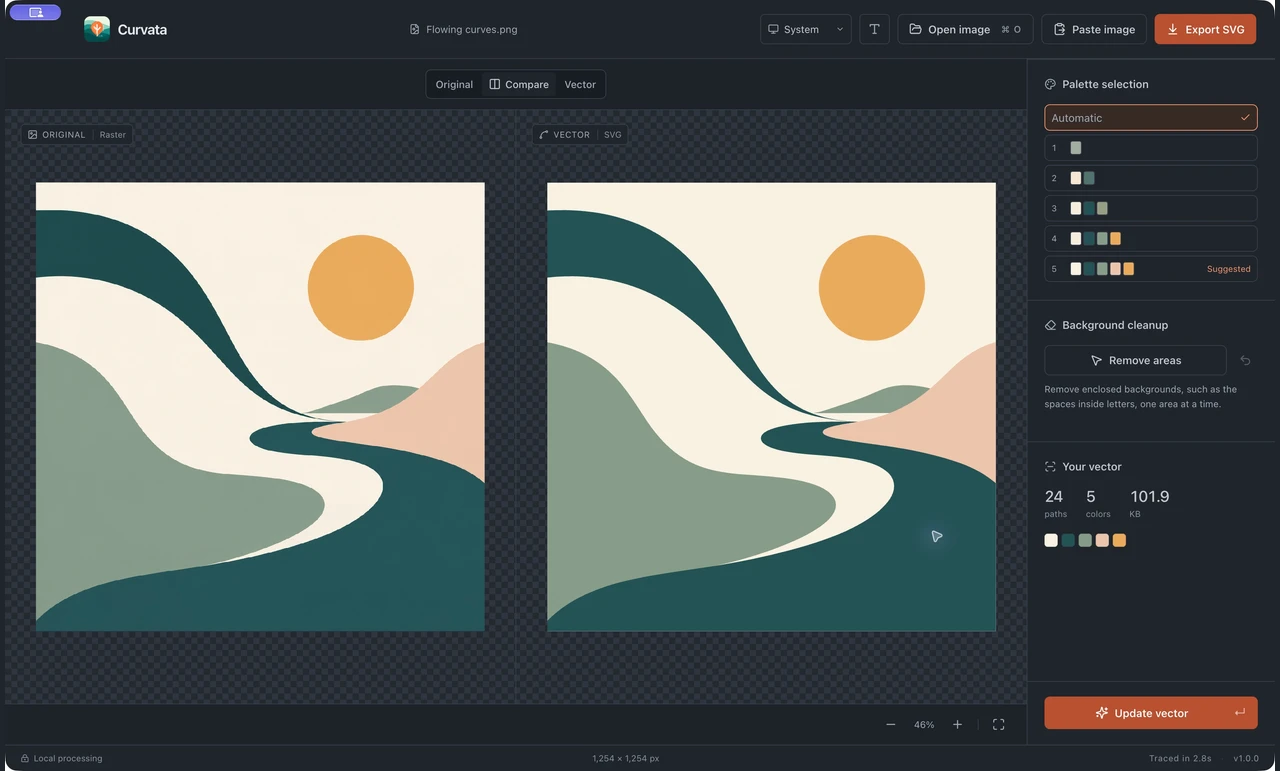
What tracing can and cannot recover
Tracing estimates boundaries and paints from visible pixels. It can turn a clear mark into editable shapes, but it does not recover the designer’s original layers, font choices, or control points. A recognizable trace and an exact recreation are different outcomes.
Small letters, blur, compression artifacts, faint lines, and complex transparency can make those estimates difficult. Curvata provides a comparison view so you can look at the evidence and the result together. Review the details important to the final use.
Filled strokes are another practical distinction. Curvata outlines regions rather than creating a single centerline for every drawn stroke. A pen-plotting workflow may require a different type of vector structure even though both outputs use SVG.
Choose a format for the destination
Use vector artwork when scalable shapes, recoloring, or object editing are central to the task. Keep a raster format when photographic texture, complex visual effects, or destination compatibility matter more. A website can use SVG for a logo and a raster image for a photograph on the same page.
File size is not determined by the format name. A simple mark can be compact as SVG, while a detailed photo trace can be larger and harder to edit than the original raster. Review the actual output and the app or service that will receive it.
For a practical first conversion, follow the image-to-SVG guide. If you want to work with the shapes afterward, read how exported SVG groups behave.
Common questions
Is every SVG infinitely detailed?
No. Its geometry can scale cleanly, but a traced image only contains the detail represented by its shapes. Scaling does not add missing features.
Can a vectorized photo look exactly like the original?
It can approximate the photo, sometimes with many regions. Texture, gradients, and subtle lighting can change; inspect the result for your particular use.
Is SVG the same as EPS or PDF?
No. They are different file formats with different capabilities and compatibility. Curvata exports SVG; use another design tool if your destination requires a different format.
Explore all Curvata guides or visit Curvata for Mac to learn more about the app.